

Roles
UX Design
Information Architecture
Visual Design
Branding
Information Architecture
Visual Design
Branding
Platforms
Web App
Executive Summary
Studio Yoga is a feature-rich, all-in-one POS software built specifically for yoga studios, offering tools for class scheduling, attendance tracking, payroll, inventory, memberships, and more. While the platform has successfully implemented key functionality, it faces significant UX challenges that impact usability for both studio staff and owners. Studio Yoga engaged me to uncover core user pain points and identify opportunities to improve the experience. Through user interviews with front desk staff and studio owners, I uncovered friction in class management, catalog organization, point-of-sale workflows, and membership processing. These usability issues threaten Studio Yoga’s ability to scale and maintain a competitive edge in a growing wellness tech market.
Understanding the Problem
“I’m a front desk manager at a mid-sized yoga studio. My job is to keep classes running smoothly, check members in, and process sales. But the system we use makes everything take longer—especially when we’re busy. It’s hard to find class details quickly, and signing people up for memberships feels like it takes too many clicks.”
Problem Statement
Although Studio Yoga offers a robust set of features, the user experience makes it difficult for front desk staff and studio owners to complete core tasks efficiently. This friction across class management, POS workflows, and membership sign-up processes creates operational slowdowns and could limit Studio Yoga’s scalability and long-term success in the competitive studio software market.
Design Opportunities
How might we help Studio Yoga scale and stay competitive in the market?
"As a studio owner, I need a POS system that's intuitive and visually clean—something my staff can pick up quickly. Customization and smooth integration with our other tools are essential, and when workflows are streamlined, it really boosts our efficiency."
UI Design System and Branding Overhaul
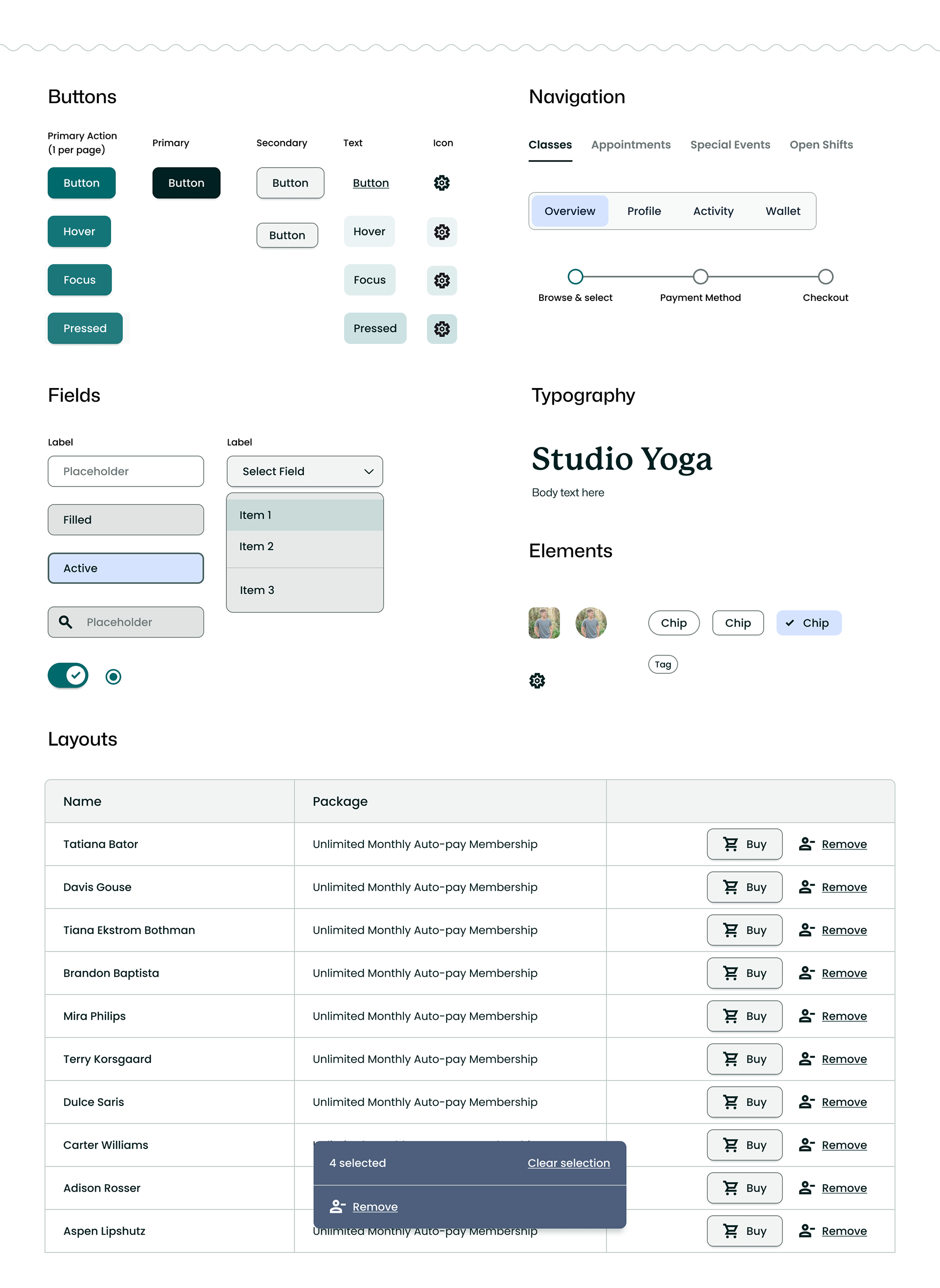
To build a strong foundation, I started by creating a design system and refreshing the branding. This addressed UI inconsistencies and improved usability for both staff and customers. The design system ensures consistency, streamlines workflows, and supports future scalability, while the updated branding builds trust and creates a more professional, user-friendly experience.
New color system for the app and brand
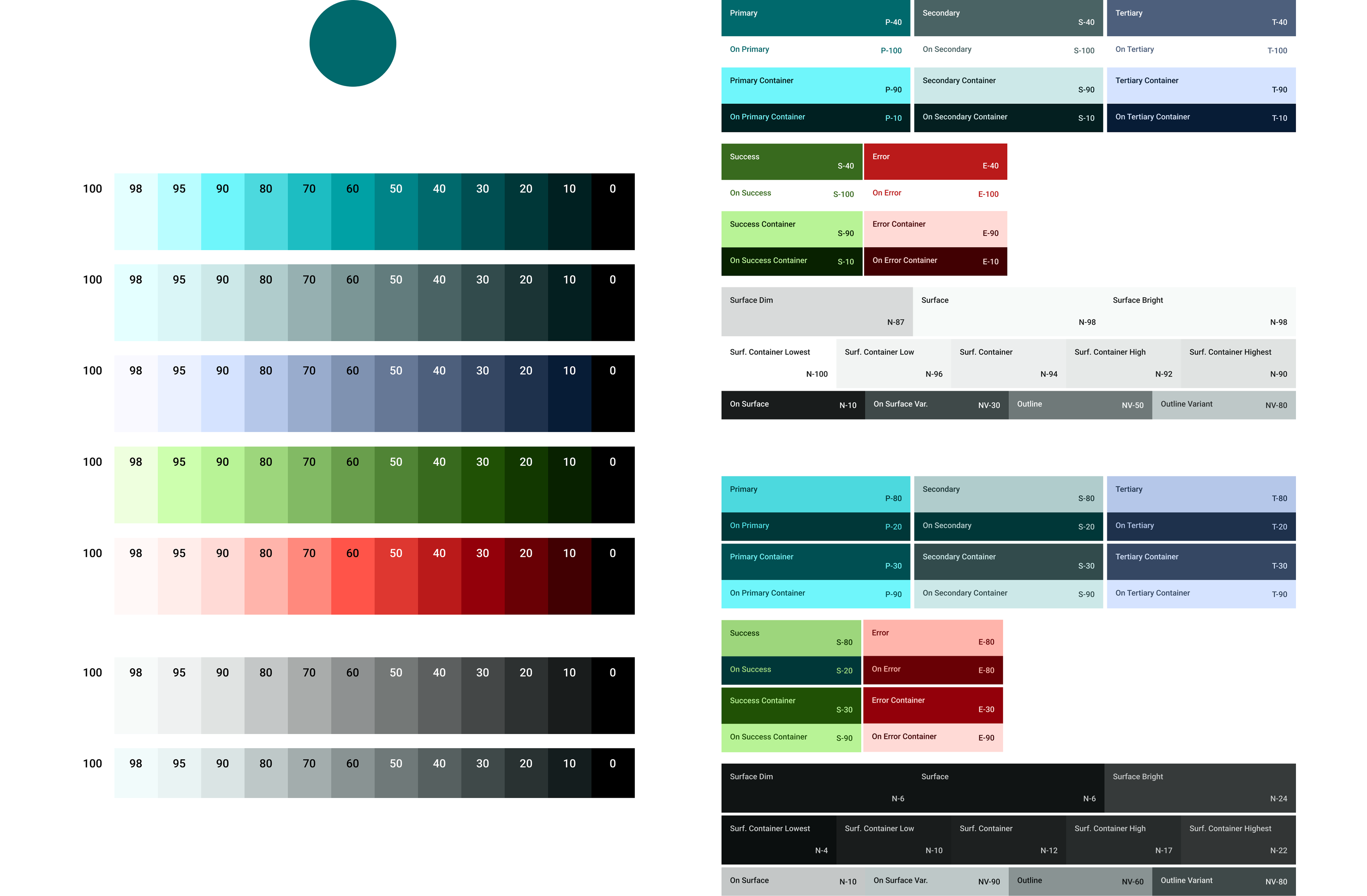
Both light and dark themes
Preview of Design System Components
How might we help front desk studio employees manage classes and members more effectively?
"As a front desk employee, I juggle managing class schedules, check-ins, and customer service with up to 30 attendees per class. Last-minute cancellations and technical issues with the POS system make it challenging to maintain smooth operations. I need to be adaptable, solve problems quickly, and still provide a personalized experience to ensure everything runs smoothly in a busy studio environment."
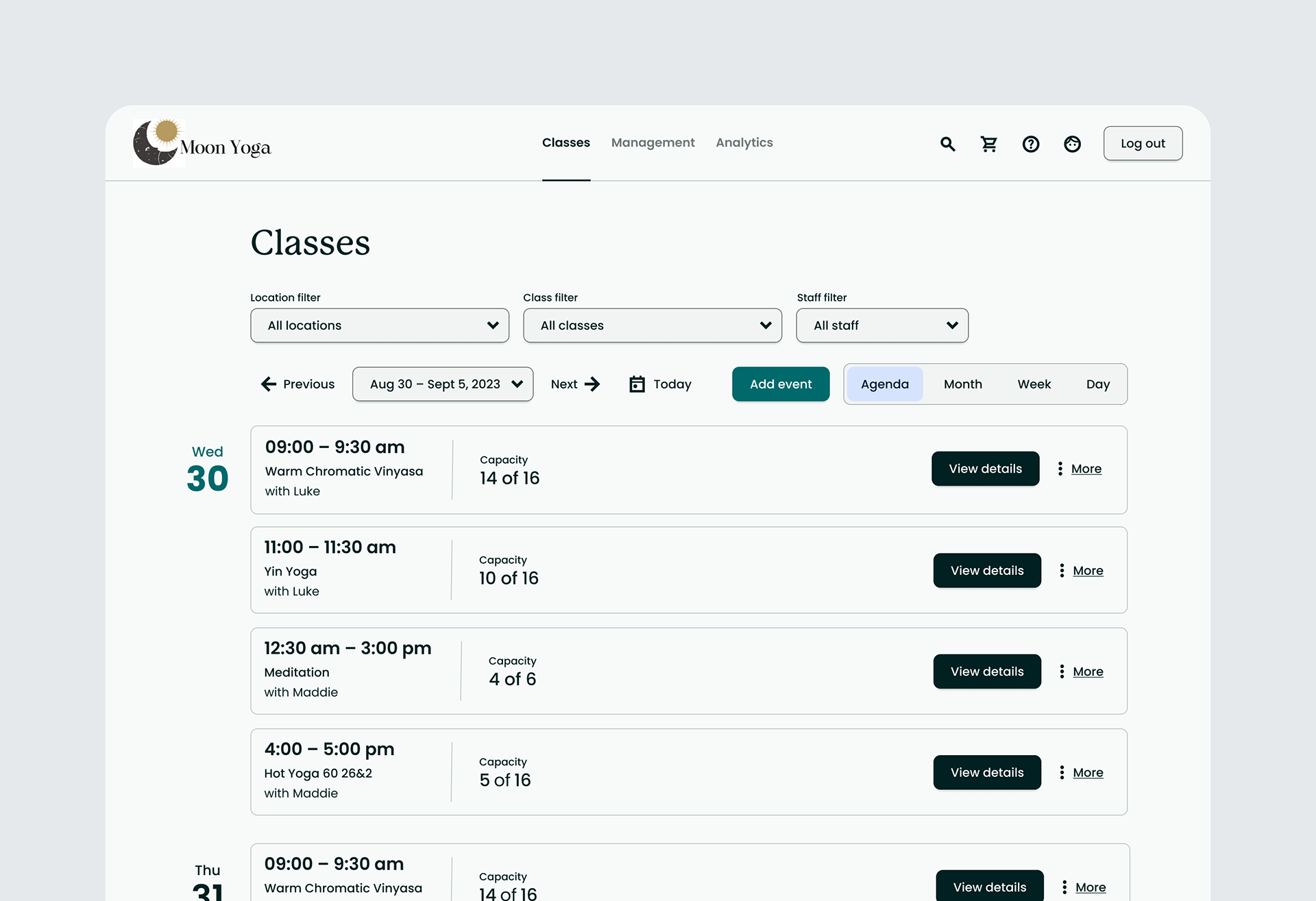
Redesigned Class Management UI and Flow / Separation of Class View and Master Scheduler
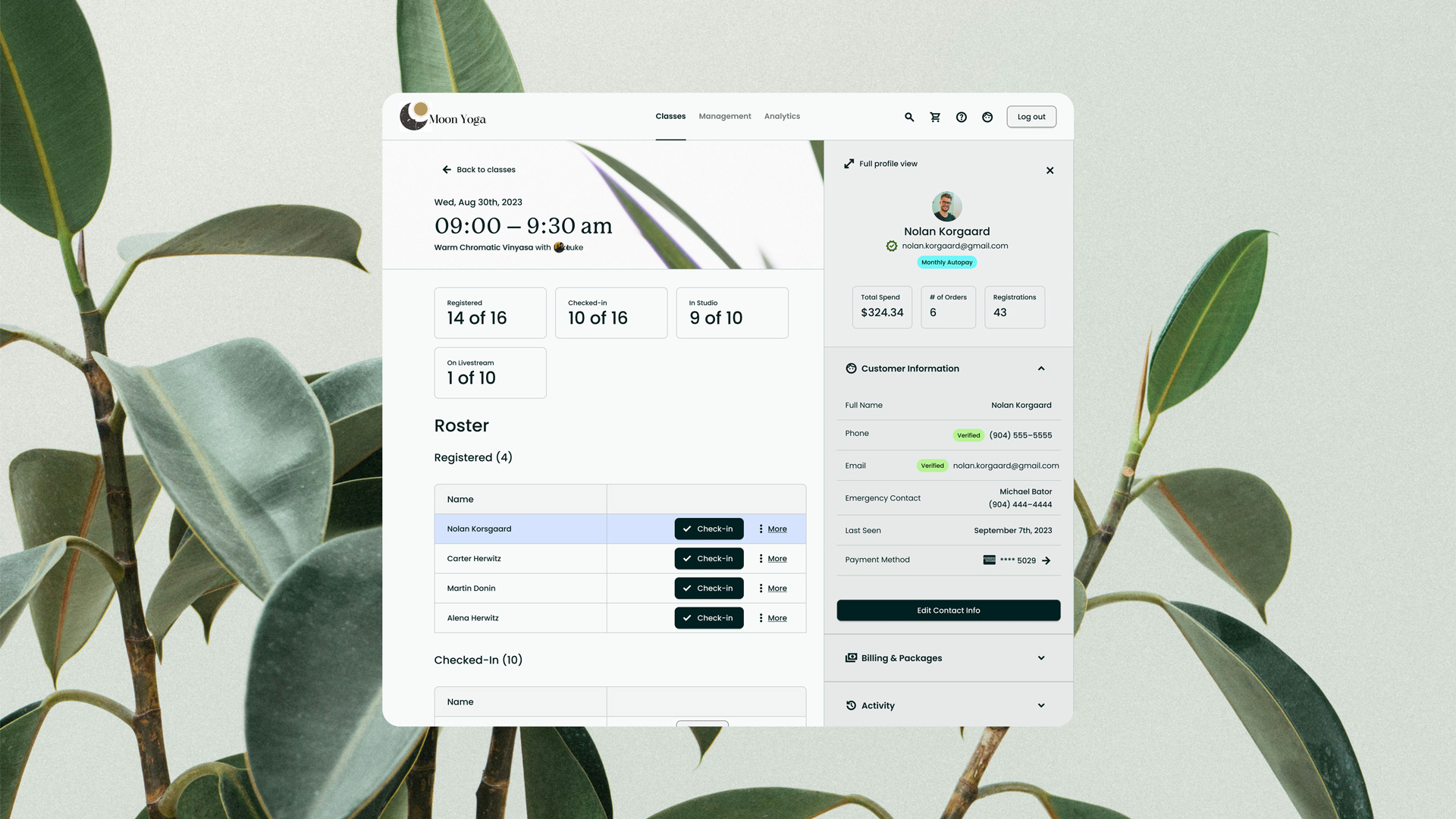
In the previous app version, the class view page and master scheduler were merged, resulting in an abundance of unnecessary features for front desk users. The decision to separate these features into their dedicated interfaces not only eliminates unnecessary complexity but also empowers front desk users to efficiently navigate, enabling them to swiftly access and manage the specific classes they need.
✅ User Value: The redesigned UI and separated Class View and Master Scheduler help front desk employees manage classes and members more efficiently, streamlining operations in a busy studio.
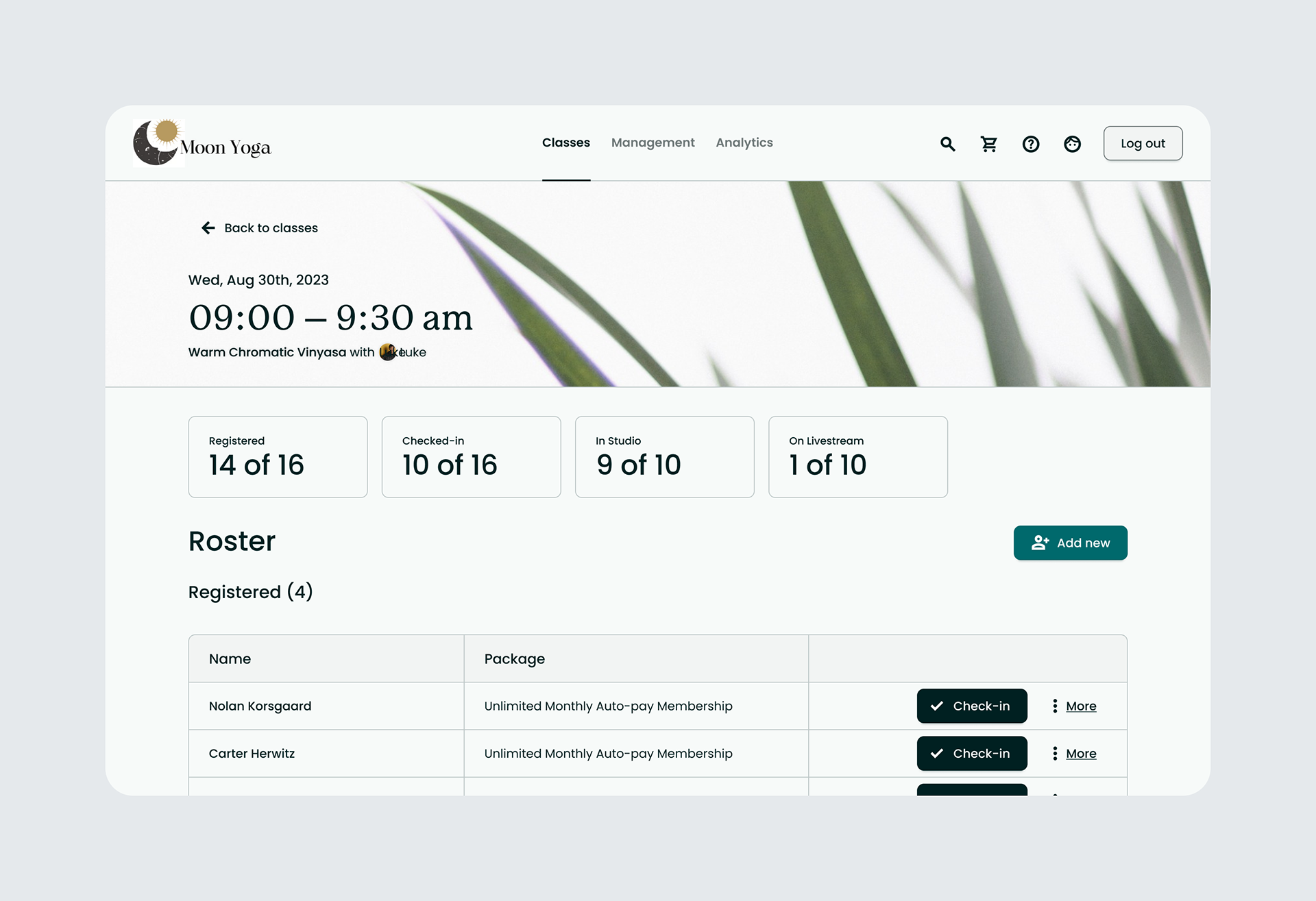
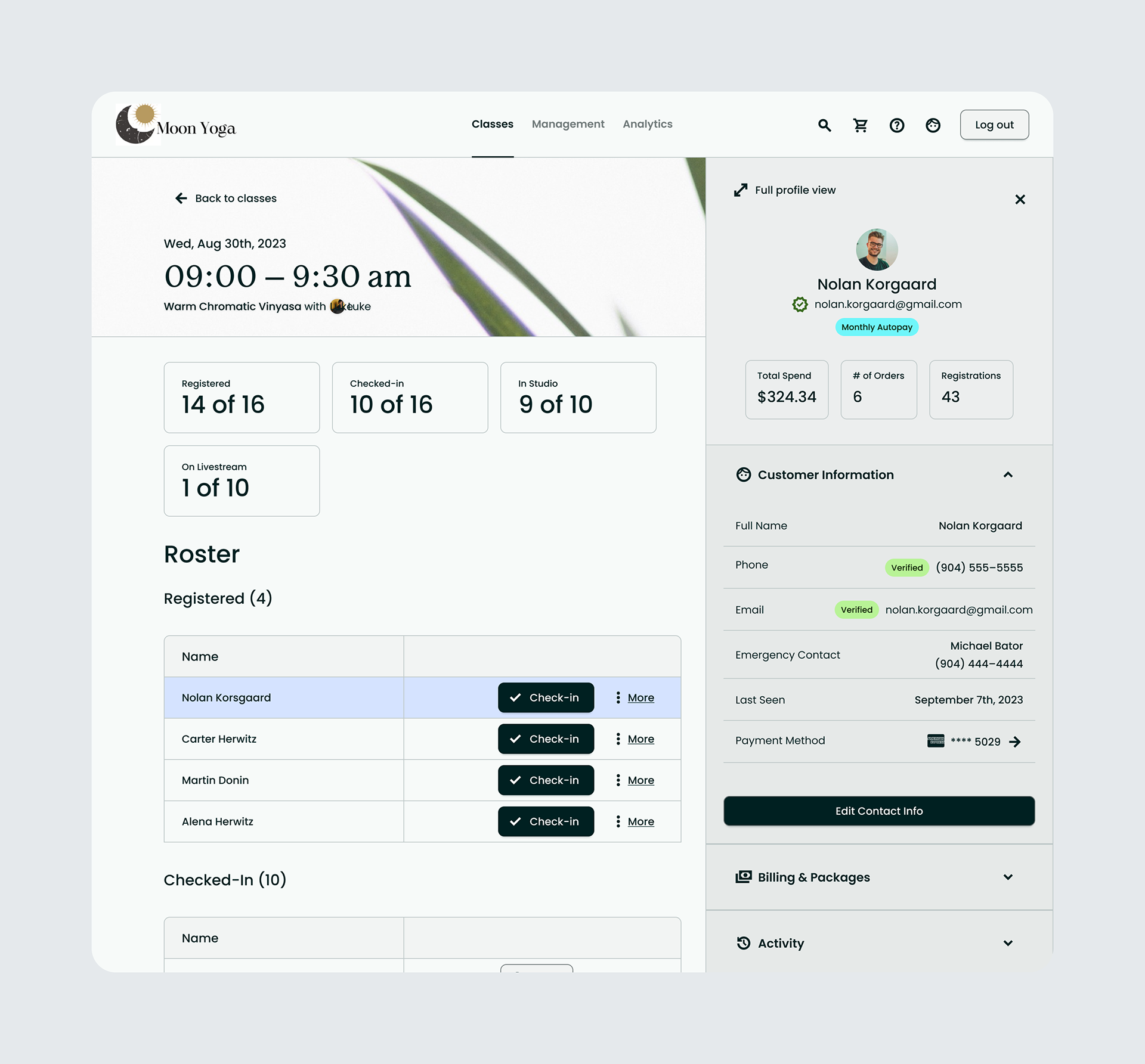
Users are now able to rapidly segment attendees, distinguishing between "Registered" and "Checked-in." This essential functionality was entirely missing in the prior app version. Additionally, the integration of a quick-view option for customer profiles, providing front desk users with swift access to vital information. This not only facilitates efficient issue resolution but also enables seamless transitions to the POS interface for streamlined sales processing.
How might we help front desk employees process merchandise sales and memberships?
As a front desk employee at the yoga studio, my daily tasks involve promoting and selling merchandise, and facilitating membership sign-ups. I assist customers in choosing the right products, and guide them through membership options. Pain points often arise during peak hours when managing multiple transactions simultaneously can be challenging, leading to potential delays and occasional customer frustration. Additionally, explaining complex membership structures or dealing with technical issues related to the point-of-sale system can create hurdles in delivering a seamless and efficient customer experience. Striking a balance between personalized service and quick transactions remains a constant challenge, especially during high-demand periods.
Solution: Redesigned of POS. Faster and Simpler Checkout Process
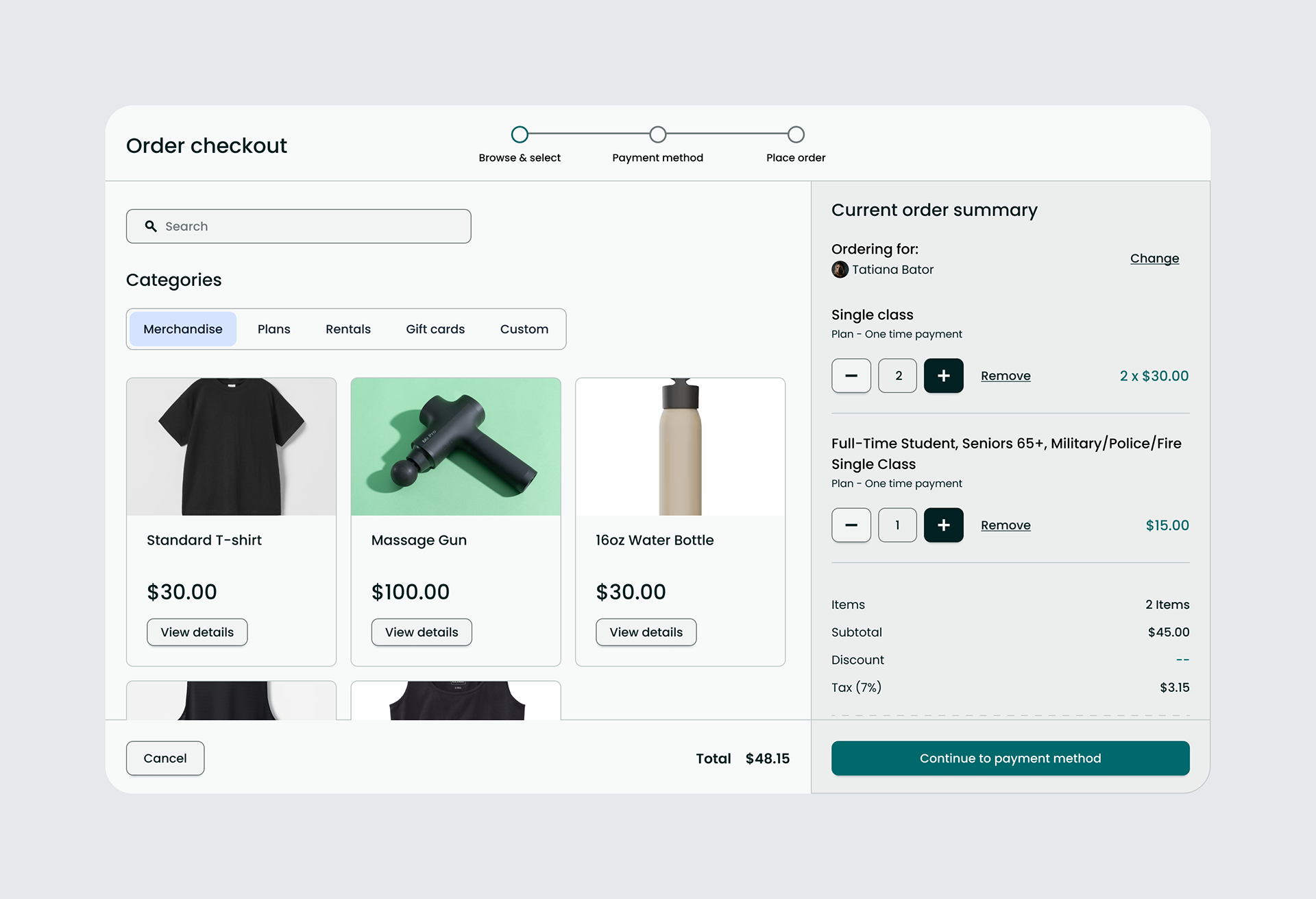
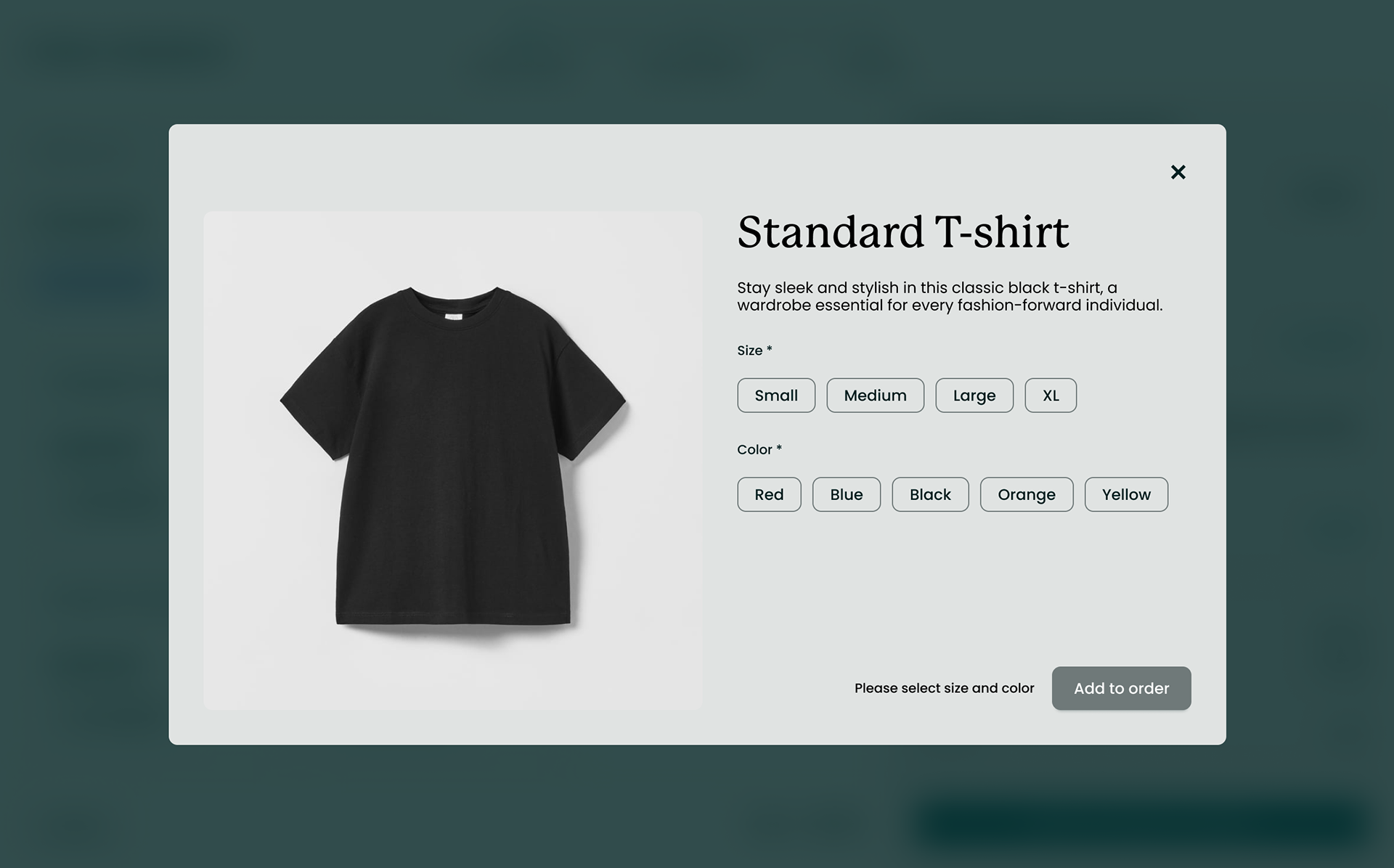
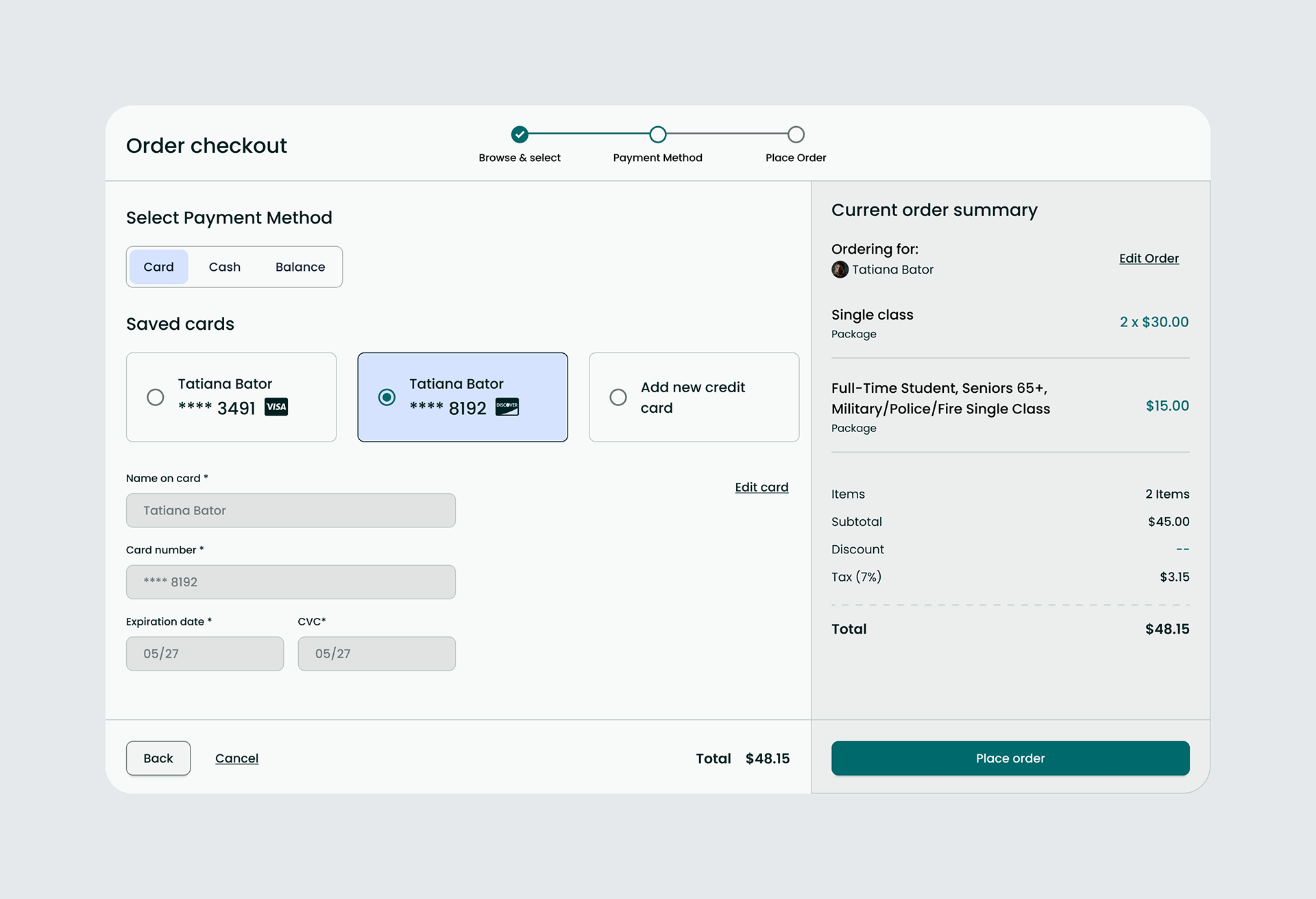
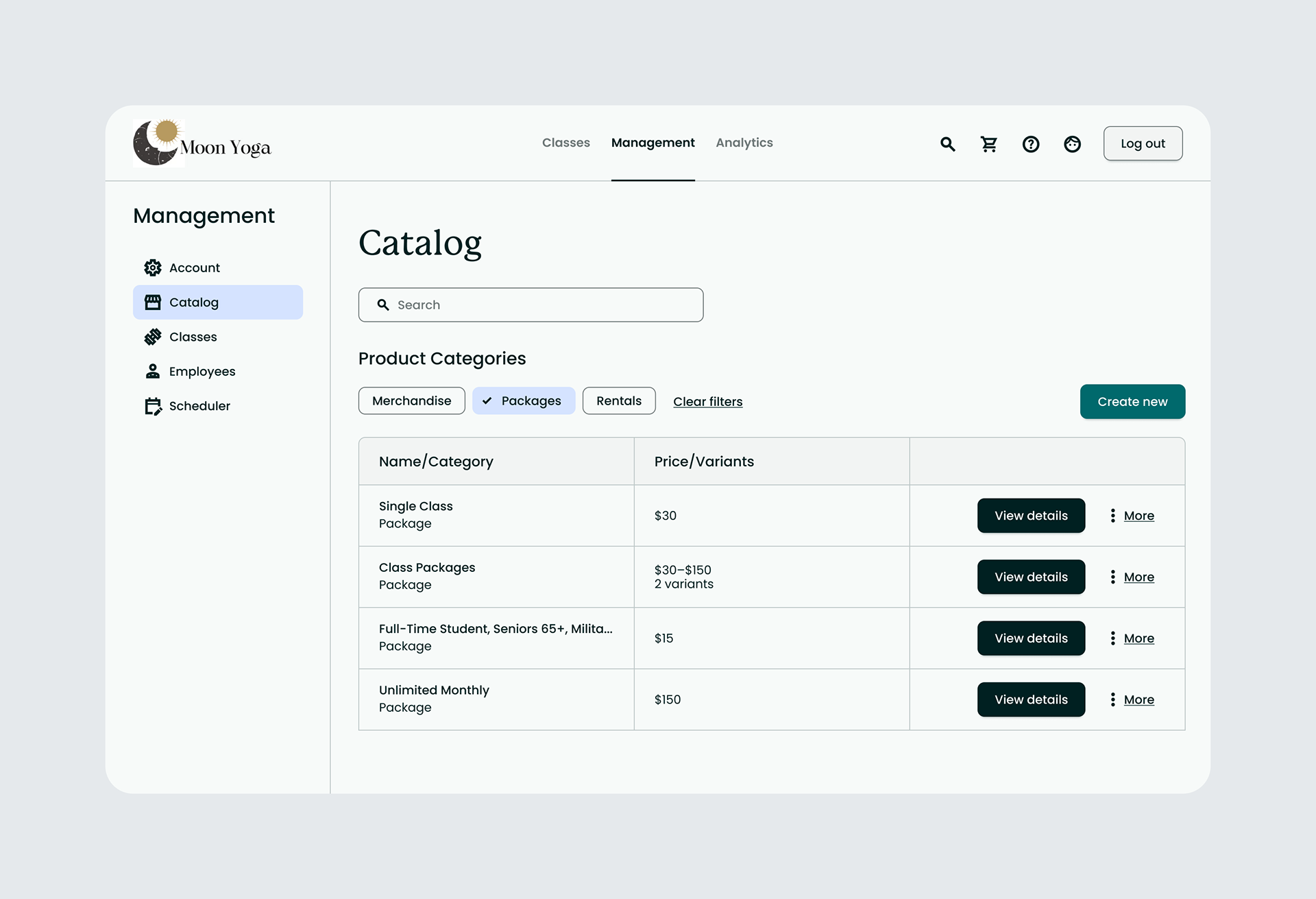
How might we help studio owners manage their class and merchandise catalog more effectively?
As the owner of a yoga studio, I oversee the inventory of yoga-related products, ensuring a diverse and appealing merchandise catalog. Balancing the pricing and promotions of class passes to attract clients while maintaining profitability is crucial. Managing various membership options, each with unique benefits, poses a challenge in communicating their value effectively to potential clients. The dynamic nature of the yoga industry and the need for regular updates and adjustments make catalog management a demanding yet essential aspect of studio ownership.
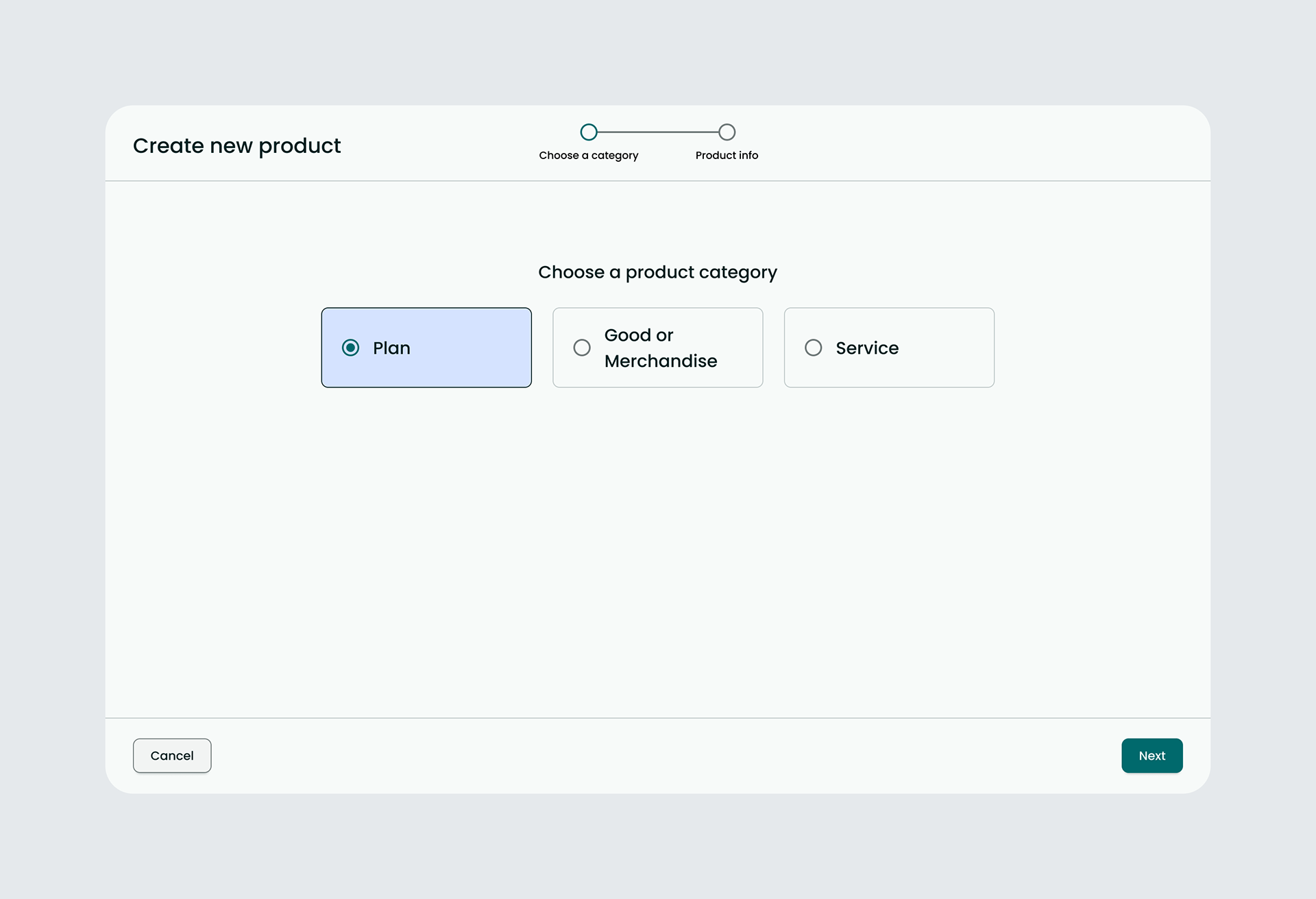
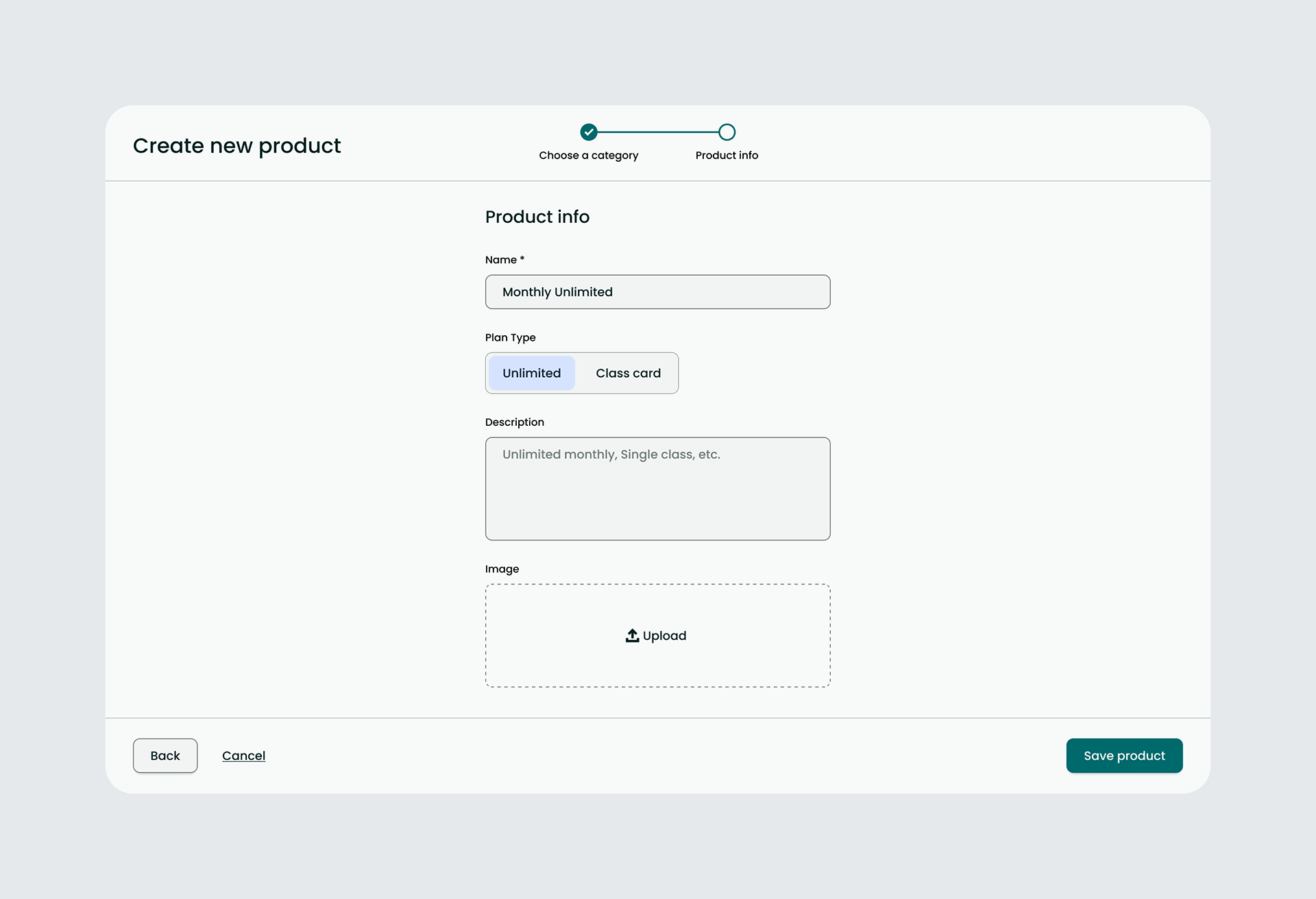
Solution: Introduction of Catalog Management Wizard